For K-12 teachers
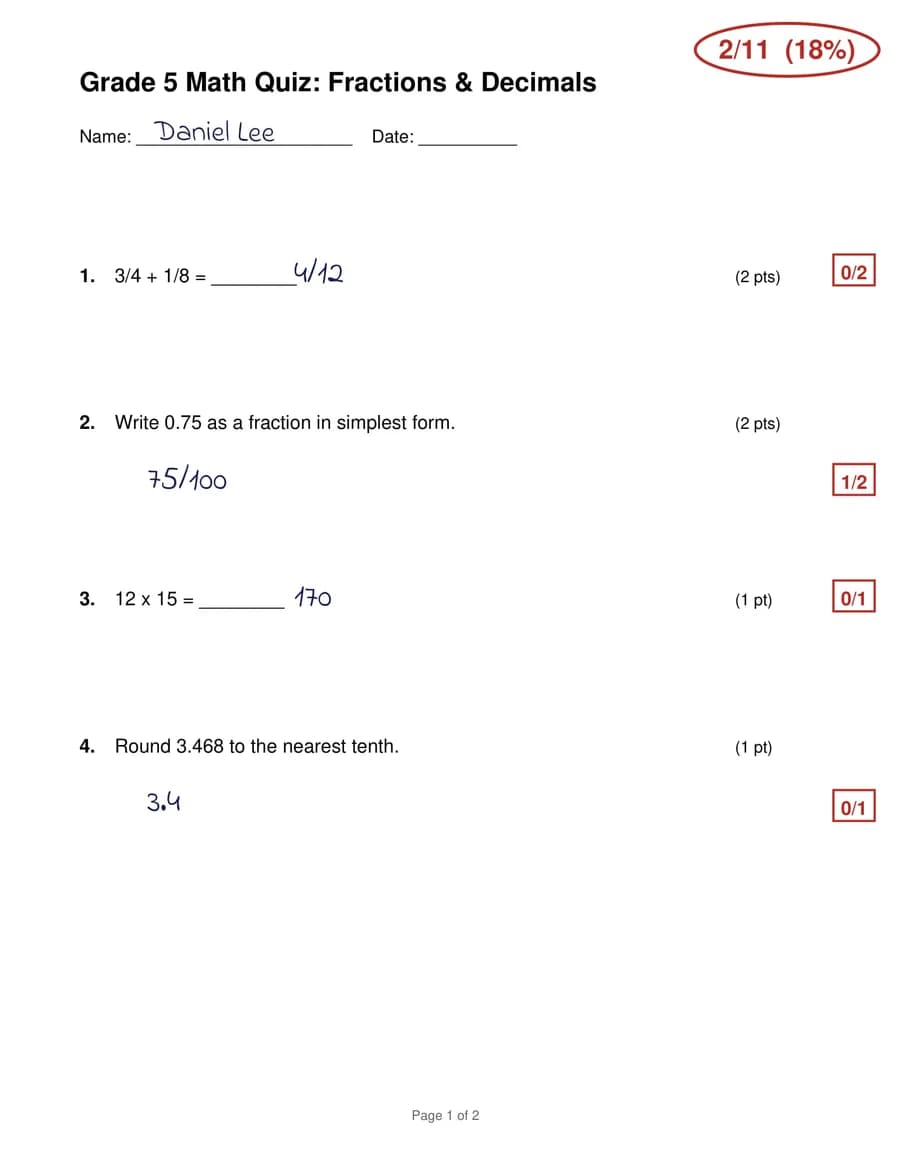
Grade a stack of handwritten work in minutes, the way you would.
MarkWell reads your students' handwriting, scores every question against the answer key you approve, and explains each lost point. You stay in charge of every grade.
How it works
- 1
Approve the answer key
Upload the blank worksheet or your own filled-in key. MarkWell drafts the key and partial-credit rules, matching any point values printed on the page. Nothing is graded until you approve it.
- 2
Upload the stack
One scan of the whole class or a file per student. MarkWell splits the pages, reads each name, and matches it to your roster, remembering nicknames as you correct them.
- 3
Review and hand back
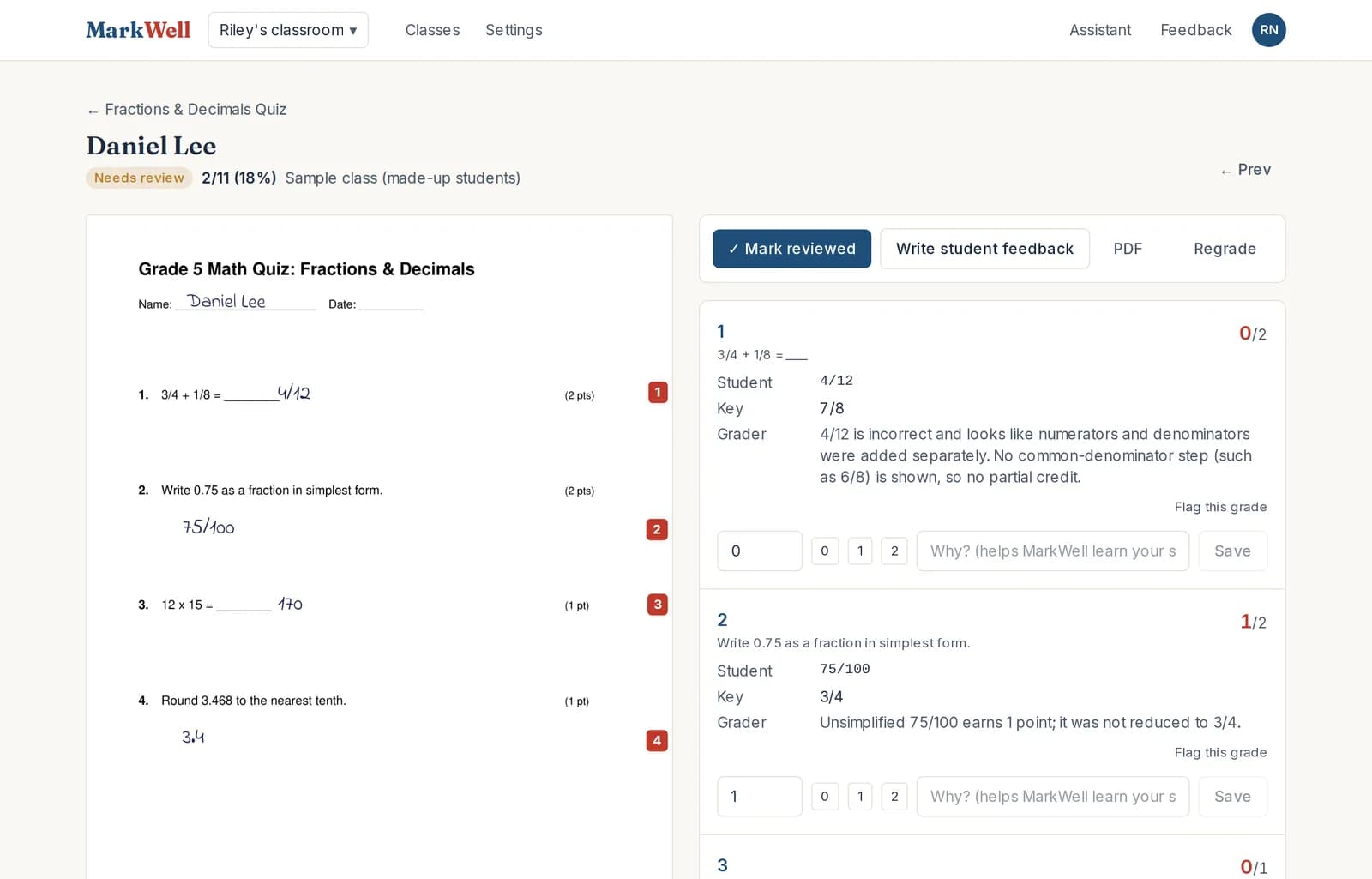
Check each score and the reason behind it, adjust anything, then export grades or print marked-up copies with feedback written for the student.
Your key is the rule
Every paper is graded strictly against the key you approved. If MarkWell thinks your key has a mistake, it flags it for you instead of quietly changing the grade.
It learns how you grade
When you change a score and say why, MarkWell remembers. Your partial-credit habits carry into every assignment after that, and you can read and edit what it has learned.
Student work stays private
Files are encrypted, only you and your school's admins can see your classes, every access is logged, and student work is never used to train AI.
Try it on this week's quiz.
Create a free account